

Admin Security Settings
Open /app/admin/system/settings/security to configure deployment-level security settings.
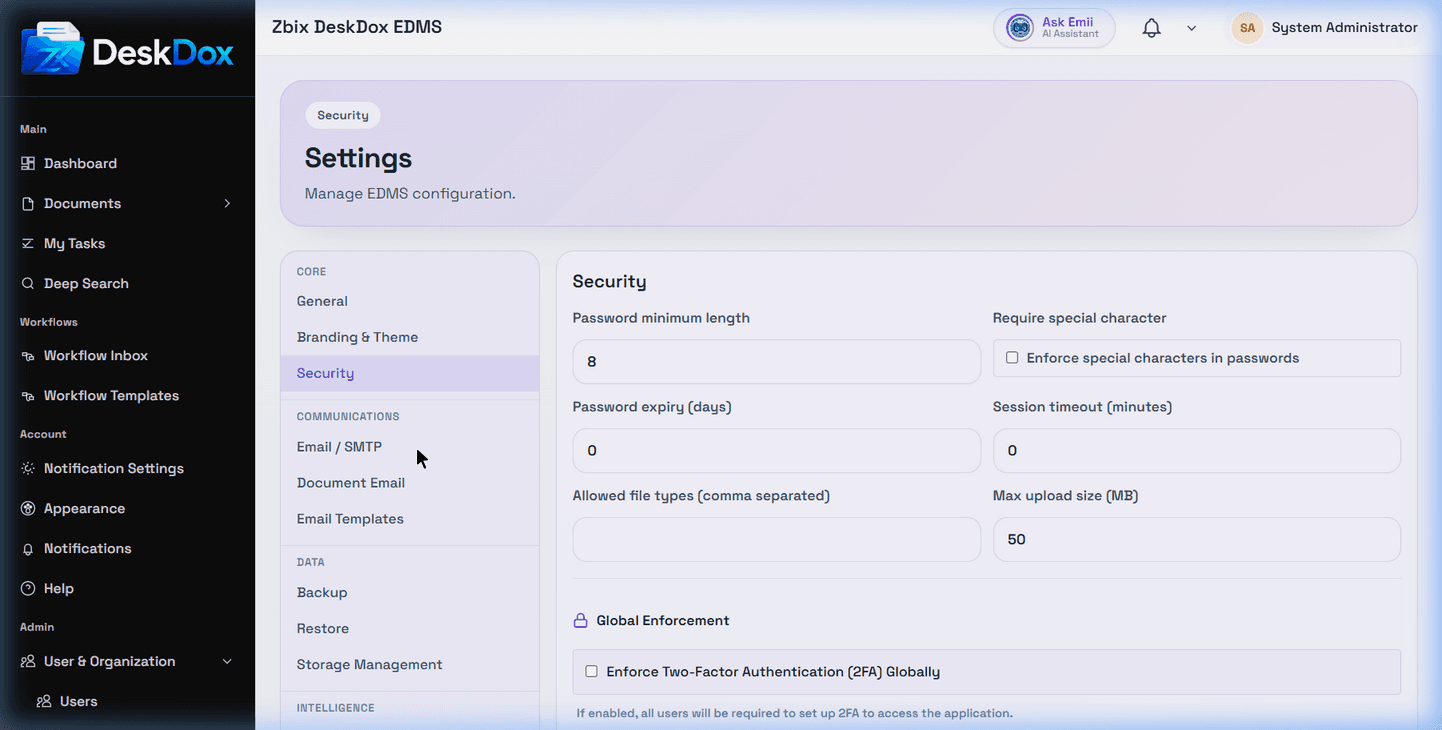
DeskDox includes controls for Password minimum length, Require special character, Password expiry days, Session timeout minutes, Allowed file types, Max upload size in MB, and a global Enforce Two-Factor Authentication (2FA) toggle. The UI validates minimum password length, non-negative password expiry, and non-negative session timeout before saving.
Use conservative settings in production. Short sessions, stronger password rules, and global 2FA can improve security, but they can also affect every user. Communicate changes before enforcing them and confirm administrators can still sign in.
Security settings require admin access. If the page is not visible or says you are not authorized, ask a System Admin or EDMS Admin to review your role.