

Email and SMTP Settings
Open /app/admin/system/settings/smtp to configure outbound email.
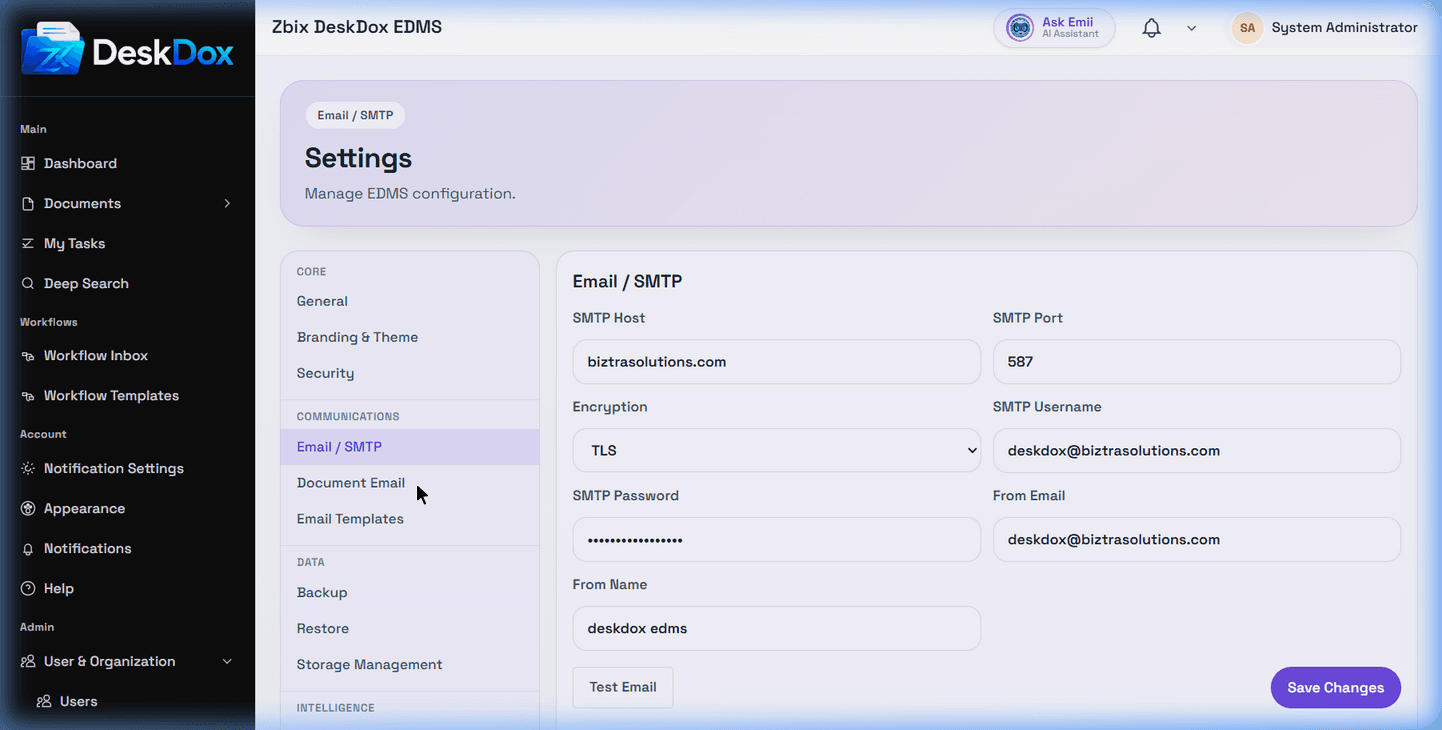
DeskDox includes SMTP Host, SMTP Port, Encryption, SMTP Username, SMTP Password, From Email, and From Name fields. The password field is secret input; do not paste real SMTP passwords, tokens, or keys into Help Center questions, screenshots, tickets, or chat.
Use Save Changes to store SMTP settings. Use Test Email to open the Send Test Email dialog, enter a recipient address, and click Send Test. The test action submits the current SMTP settings to the system test process and reports success or failure.
A saved SMTP form does not prove email delivery works. Delivery still depends on a reachable mail server, accepted credentials, network/firewall rules, TLS or SSL compatibility, sender policy, and the recipient mail system. If email is not sending, run a test email, check the exact system service error, verify credentials outside DeskDox if permitted, and confirm the worker or synchronous send path is healthy.