

Email Template Settings
Open /app/admin/system/settings/email-templates to manage system email templates.
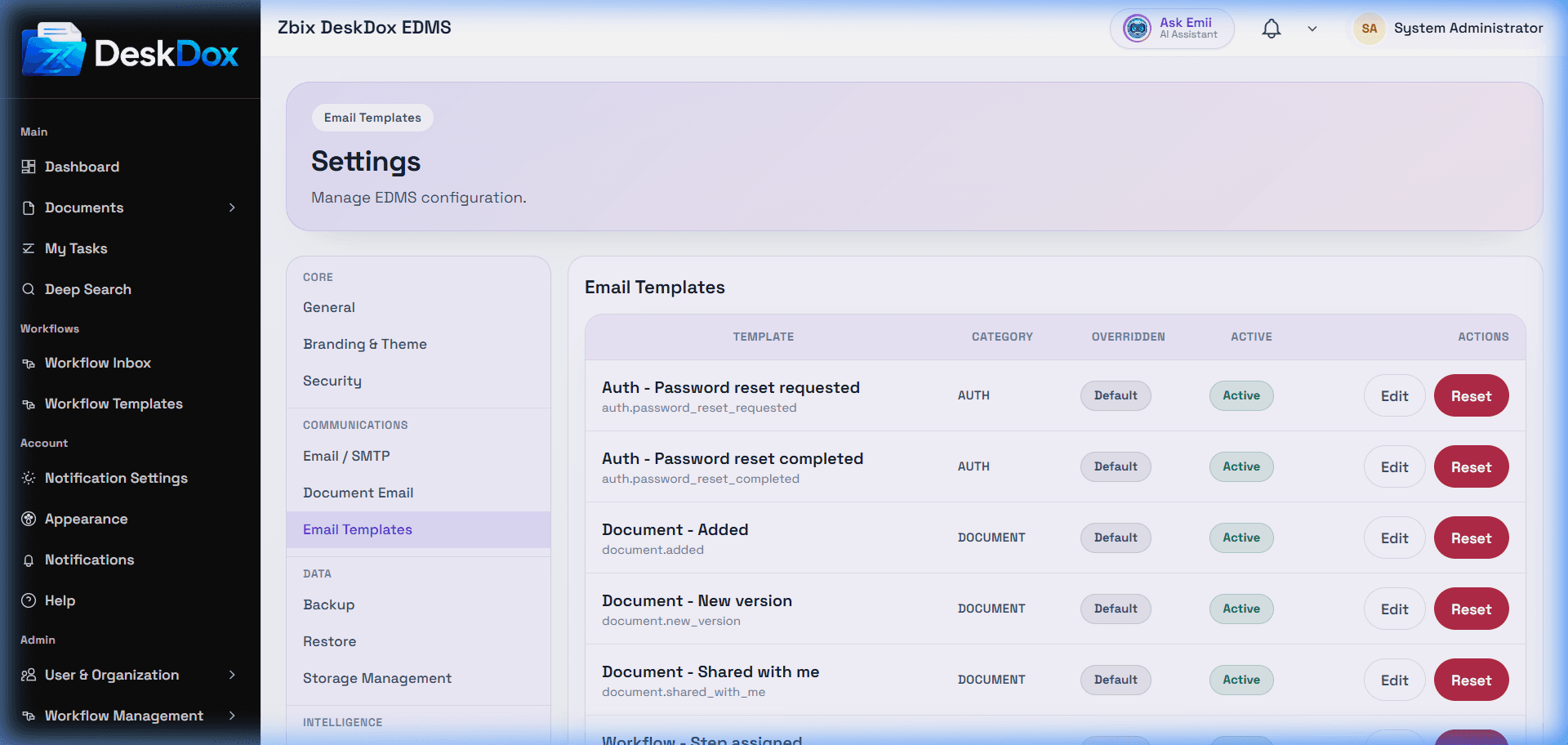
DeskDox includes a template table with Template, Category, Overridden, Active, and Actions columns. Use Edit to open the template editor, change the Subject and HTML Body, set whether the template is Active, and choose Save changes. Use Reset only when you intend to discard customizations and return to the system default.
Use the template variables shown in the template editor to insert document, workflow, recipient, or organization-specific values. Available variables may vary depending on the template type and system configuration.
Template changes affect message content, not delivery. SMTP configuration, sender policy, recipient address validity, and system service email processing must still be working.