

Notification Preferences
Use /app/settings/notifications to control how DeskDox sends notification updates for the event types visible to your account.
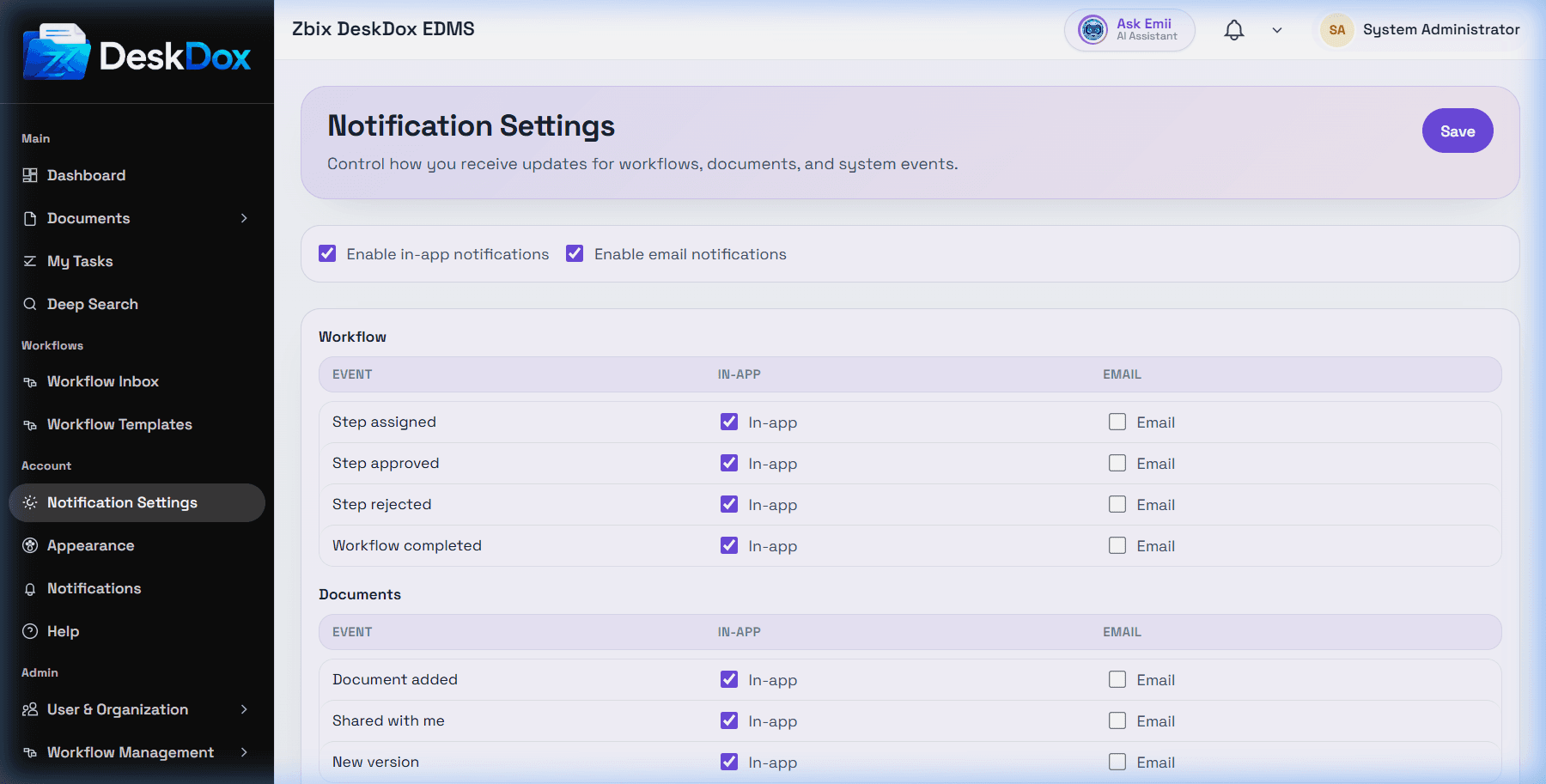
Available preferences
The current available settings include global Enable in-app notifications and Enable email notifications controls, plus per-event In-app and Email checkboxes. Visible event groups include Workflow, Documents, and System. System password reset events are treated as critical, and the screen warns if those events have no channel enabled.
The browser capture also showed a Mobile preference option. Treat mobile as a preference option only when it is visible in your environment. Actual mobile or push delivery is not available in this module and depends on deployment configuration.
Saving changes
Select the channels you want and use Save. The page can show Notification settings updated. after a successful save, Unable to update settings. Please try again. after a failed save, or Unable to load notification settings. if the settings request fails.
Delivery caveats
In-app notifications appear in DeskDox when events create notifications for you. Email delivery additionally depends on email address, SMTP or email service configuration, queue processing, and template/rule setup. Mobile delivery depends on whether your deployment implements and configures mobile push delivery.