

System Settings Overview
System Settings is the administration area for deployment-wide DeskDox configuration. Open /app/admin/system/settings/general to start from General settings, then use the left settings menu for Branding & Theme, Security, Email / SMTP, Document Email, Email Templates, Backup, Restore, Storage Management, and System Status. License Center and Audit Logs are separate admin routes at /app/admin/license and /app/admin/audit-logs.
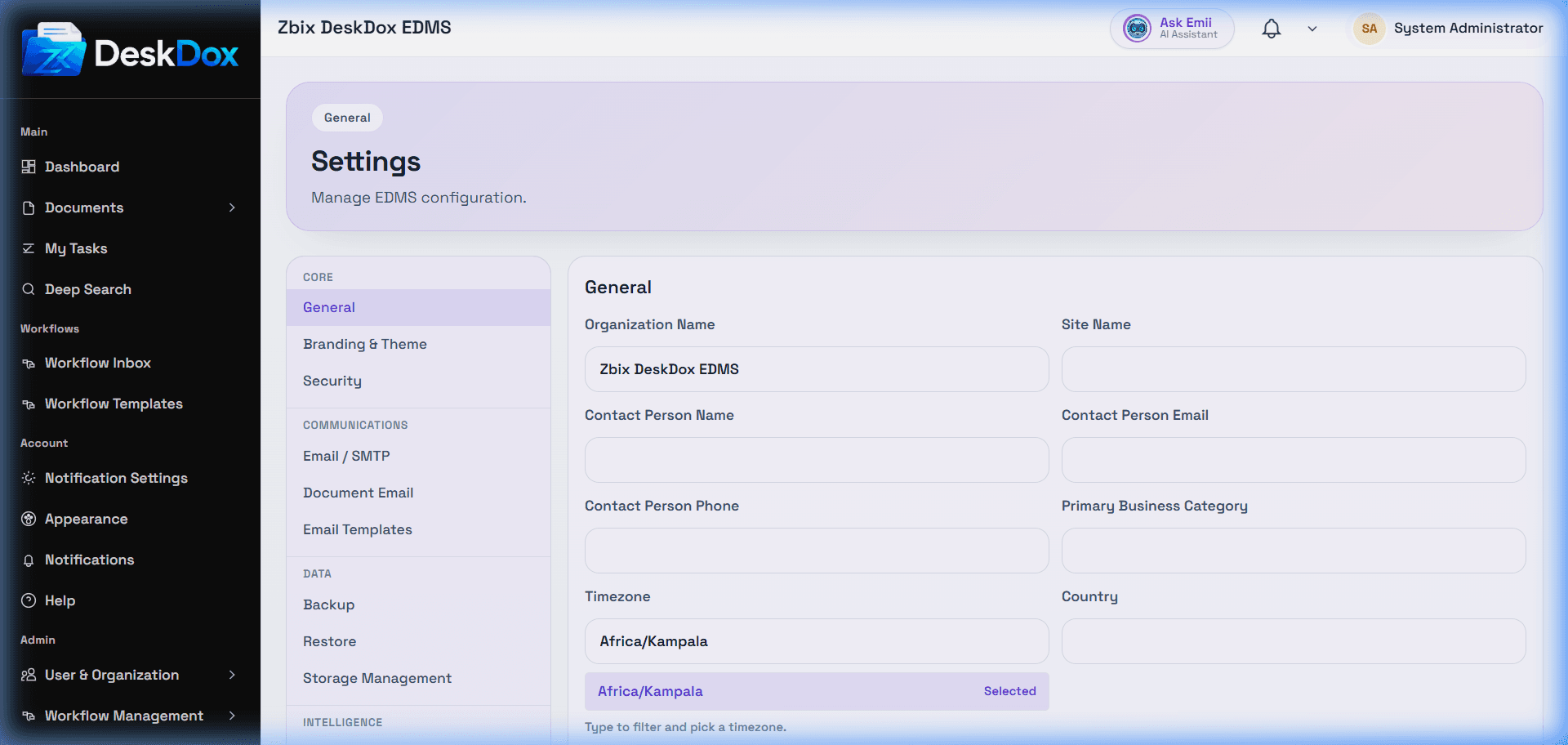
Only administrator accounts can use these screens. DeskDox shows System Admins can access all listed sections. EDMS Admins can access settings sections except the backup, restore, and storage sections that are restricted to System Admins. If the page shows You are not authorized to view this page, your account does not have the required admin role.
Configure high-impact settings carefully. Start with organization identity, branding, security policy, SMTP, document email, and backup readiness before relying on email notifications, secure links, scheduled backup, restore, or audit investigations.
Some values may be deployment-controlled instead of UI-controlled. If a setting is not visible, it may not be enabled for your role or environment. Public/Base URL behavior may depend on environment configuration and should not be treated as a visible admin setting unless it is shown in your installation.