

Appearance and Theme
What this helps you do
Change the DeskDox visual theme when appearance controls are available to your account.
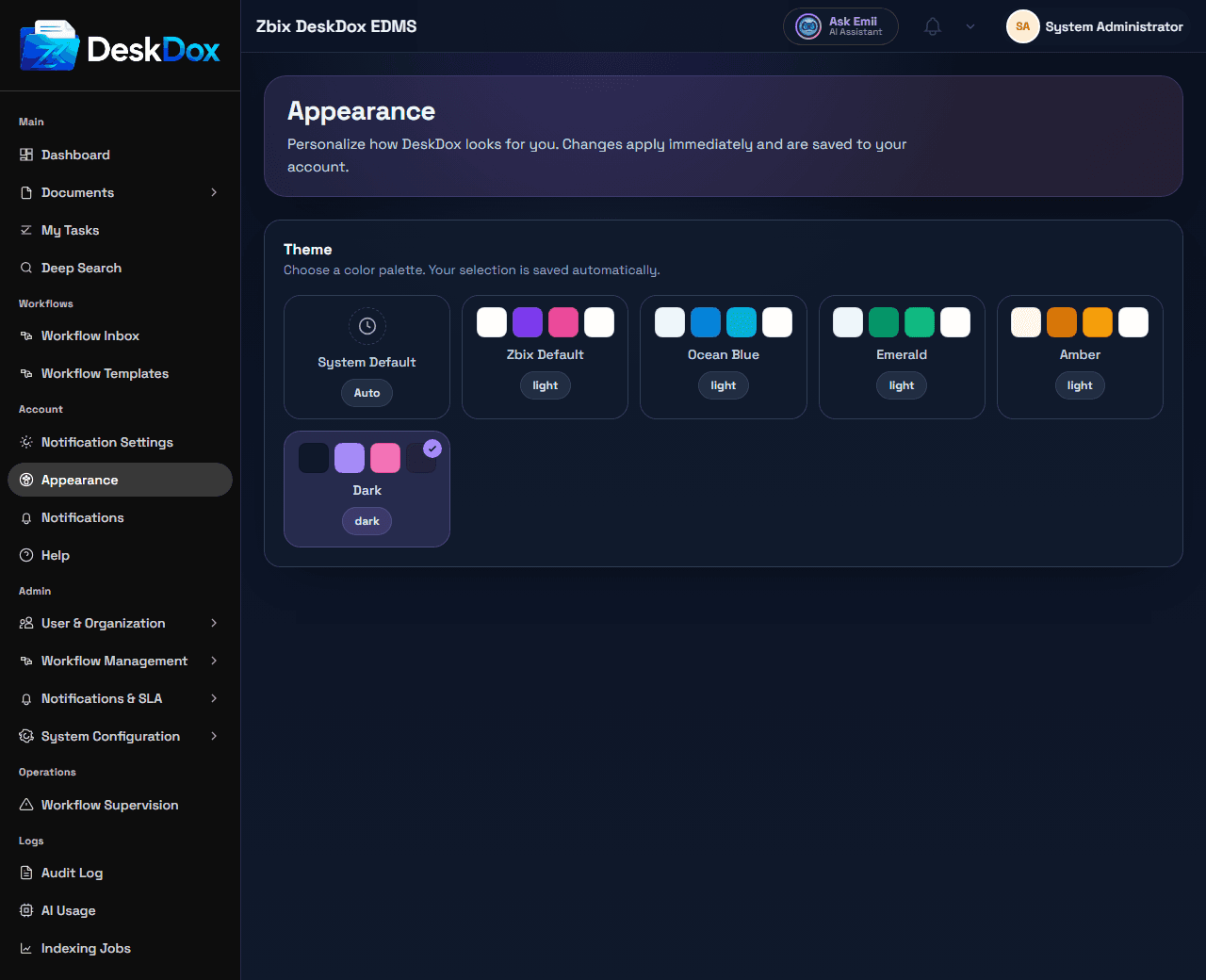
Open appearance settings
Open the profile menu from the topbar, then choose Appearance when visible. The appearance page shows Theme controls.
Theme options
Appearance controls can include Color, Minimal, System Default, Zbix Default, Ocean Blue, Emerald, Amber, and Dark. Theme selections apply immediately.
Use Dark for dark mode. Use a light option such as Minimal, Color, System Default, or another visible light theme to return to light mode, depending on your configuration.
If the theme does not update
Refresh the browser tab, confirm the selected theme is still active, and clear browser cache if the old styling remains. If appearance settings are missing, ask an administrator whether theme controls are enabled for your account. Per-user theme persistence should be treated as configuration-dependent unless your deployment confirms it.