

Profile and Account Menu
What this helps you do
Use the profile menu to open profile details, preferences, appearance settings, or log out.
Profile and account menu
Open the profile menu from the user initials or name in the topbar.
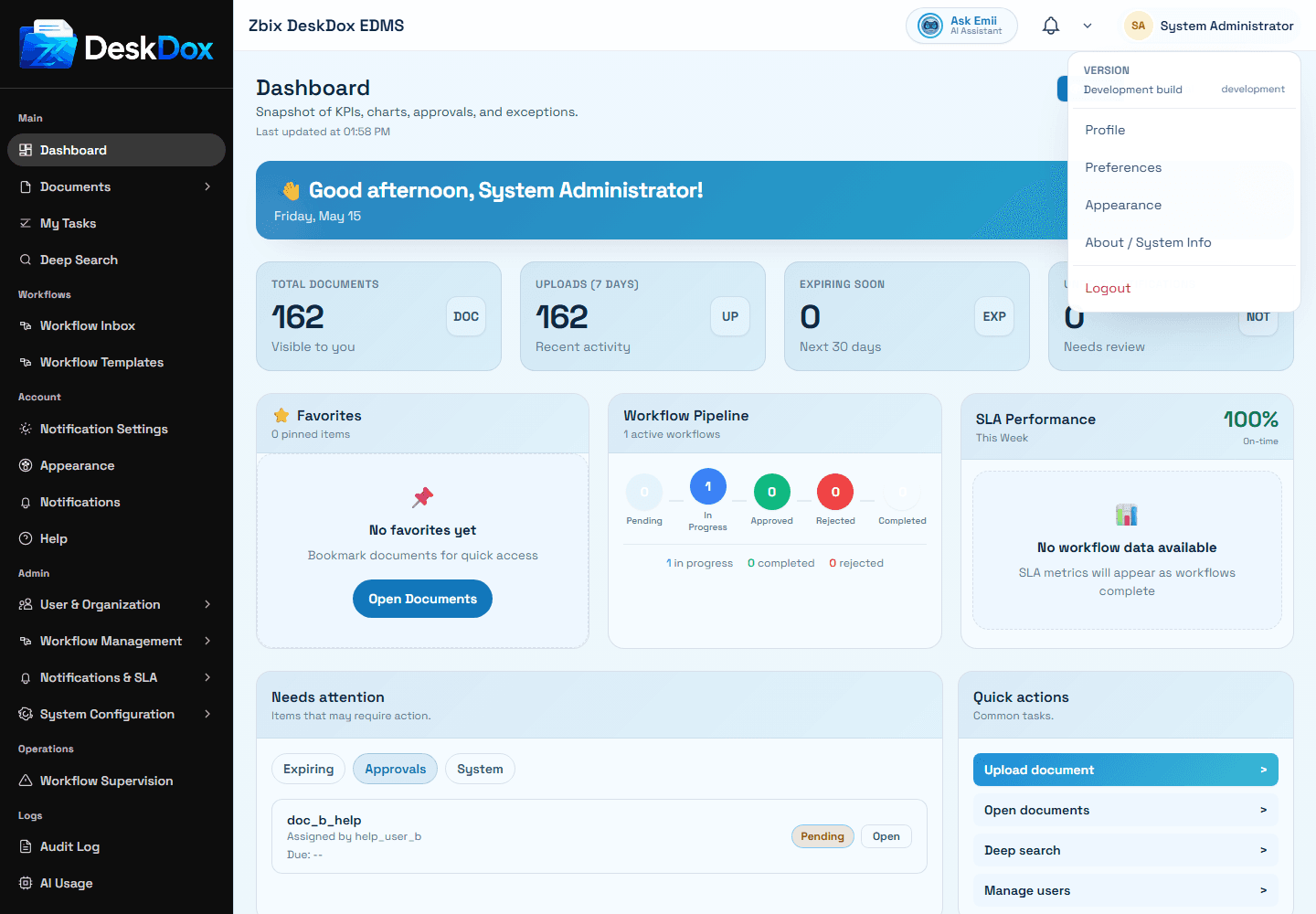
Menu options can include Profile, Preferences, Appearance, and Logout. Use Profile for profile details, password options, and account security controls. Use Preferences for notification preferences when available. Use Appearance for theme settings. Use Logout to sign out securely when you are finished.
Some administrator accounts may also see system information options. Exact menu options and placement may vary by screen size, permissions, and account configuration.
Profile page
The profile page showed fields including Username and Email, plus other profile details when visible. It also showed password fields labeled Current, New, and Confirm, with a Change Password action.
Use Save for editable profile details. Some fields may be admin-managed, identity-provider managed, or permission-controlled. If a field cannot be edited, ask an administrator whether that value is managed centrally.
Password and account details
Use Change Password only when the password form is visible and your account type allows local password changes. Role or department details may appear depending on configuration and permission.
Two-Factor Authentication
Two-Factor Authentication adds an extra verification step when signing in. If this option is available for your account, open the profile menu, go to Profile, and use the Two-Factor Authentication section.
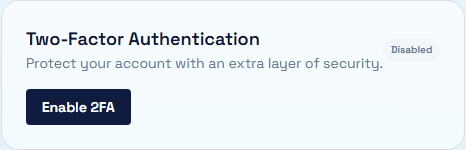
The profile page can show whether 2FA is Enabled or Disabled. When 2FA is disabled, use Enable 2FA and follow the on-screen setup instructions. Setup may require scanning a QR code with an authenticator app, entering a 6-digit verification code, and storing backup codes safely if they are provided.
If 2FA is already enabled, the profile page may show a Disable 2FA option. Disabling 2FA may require your current password plus a one-time code or backup code.
Your organization may require 2FA based on its security policy. Availability and enforcement can depend on administrator configuration and your account permissions.