

User Status, Password, and Access Actions
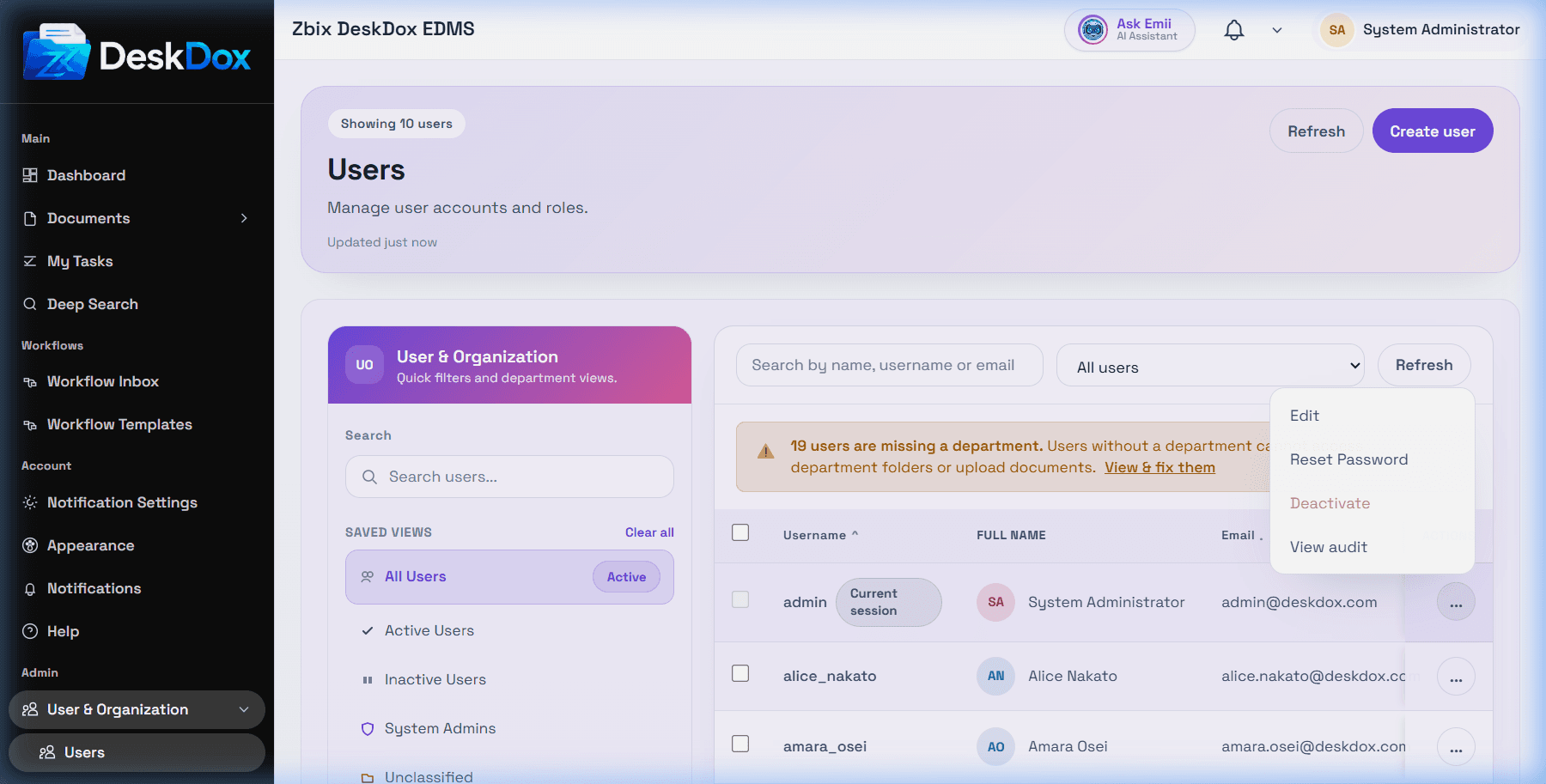
User access actions are admin-only. On /app/admin/users, the user list includes row actions for Deactivate and Reset Password; DeskDox also supports active status updates and password reset.
Use Deactivate or clear Active account to make an account inactive. Use Activate or turn Active account back on to restore the account, subject to admin safety checks. DeskDox includes safety enforcement to avoid unsafe admin-account changes.
Use Reset Password to set a provided or generated temporary password. DeskDox includes DeskDox hashes the new password and enqueues a password reset email when the user has an email address and the email queue/service is configured. If email delivery is not configured or fails, the reset can still be saved while delivery may not occur.
DeskDox can queue an invitation email when a new user is created. Treat delivery as dependent on configured email templates, queue processing, SMTP settings, and app URL settings.
No lock/unlock UI was browser-confirmed for this module. If someone asks how to unlock a user, first check whether the account is inactive, the password is wrong, the user lacks a valid department, the email/reset message was not delivered, or the local login session is stale.