

Share a Document
What this helps you do
Use internal sharing to give another DeskDox user access to a document without moving the document to another folder.
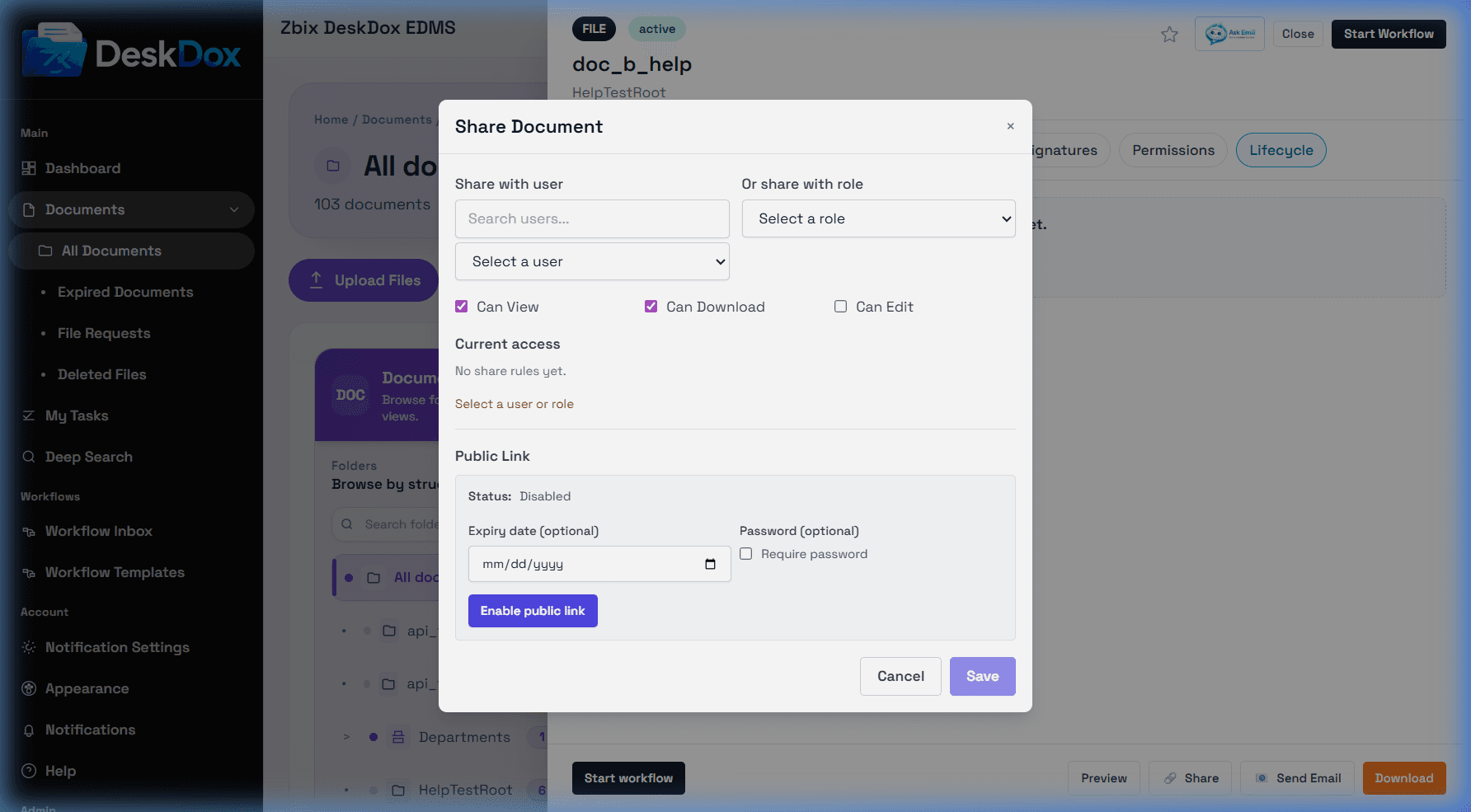
Share from a row or drawer
Open the row action menu and choose Share, or open the Document Detail Drawer and click Share. In the Share Document modal, select the user, choose the access level, and save.
Can View allows the user to see and preview the document. Can Download allows local download in addition to viewing. Can Edit allows permitted metadata or document edits where system policy allows it. Use the least access needed.
Current access and removal
The Current Access list shows users who have direct access from sharing. Use Remove or Revoke if available to remove that direct share. A user may still see the document if they also have access through folder permission, ownership, workflow assignment, administrator rights, or another share.
Security and audit notes
Internal sharing is different from a public link. Internal sharing requires the recipient to sign in and is the preferred option for organization users. Sharing and access changes are audit-relevant events.