

Expired Documents
What this helps you do
Use the Expired Documents page to review documents marked expired by metadata, lifecycle calculation, or configured lifecycle actions.
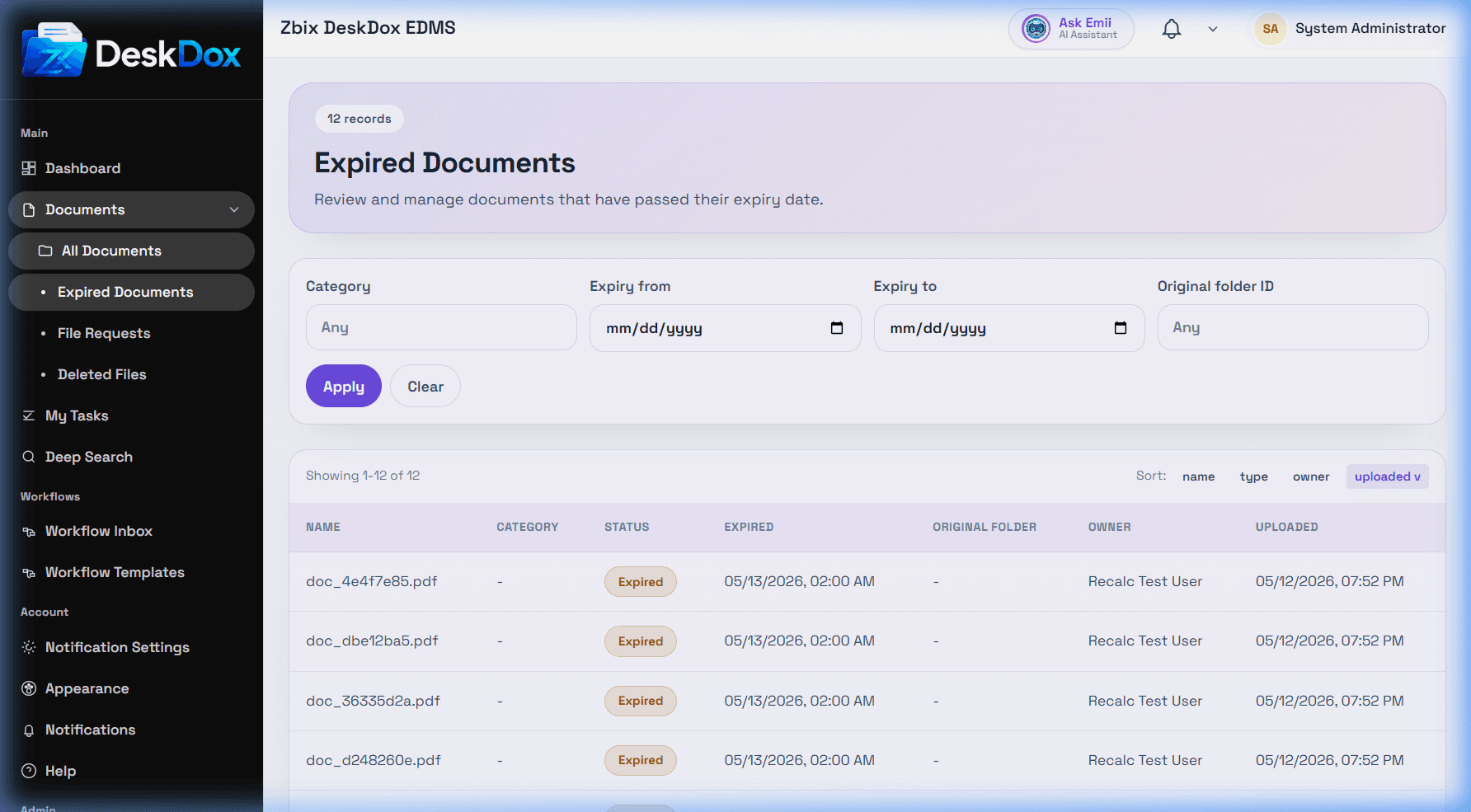
Page contents
The page shows expired documents you are allowed to see. Columns can include Name, Category, Status, Expired date/time, Original folder, Owner, and Uploaded. The expired badge identifies documents whose lifecycle state is expired.
Actions and permissions
Available actions depend on role and document permission. Depending on configuration, you may be able to preview, open details, move, restore, or recalculate lifecycle. If a document moved to Expired Documents, check the Lifecycle tab for the matched policy and action.