

Create or Edit Lifecycle Policy
What this helps you do
Create or edit the basic lifecycle policy record before adding versions, rules, actions, and assignments.
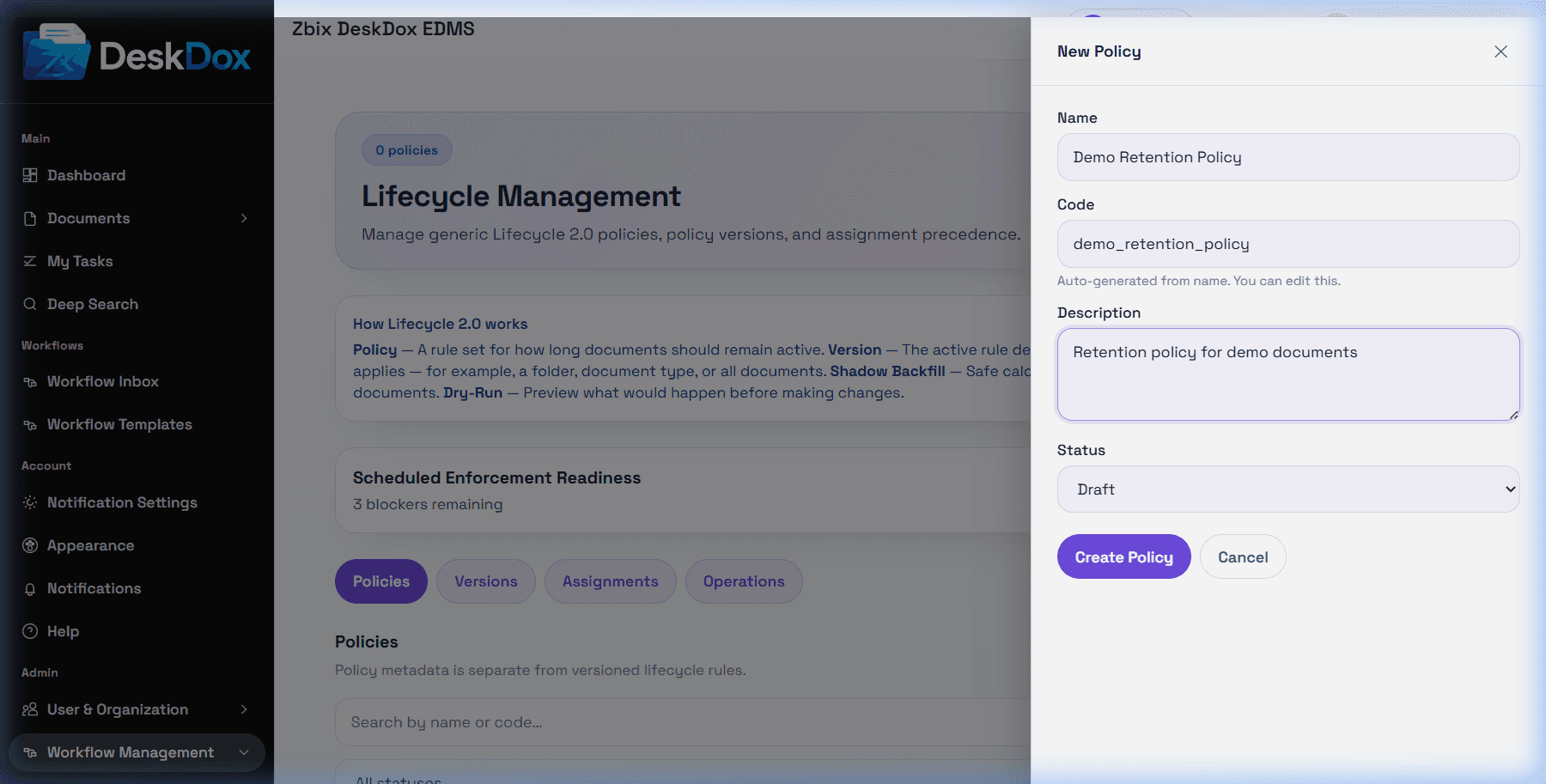
Use + New Policy from the Policies tab when visible. The user list includes Basic Info fields for Name, Description, and Status. DeskDox also keeps a unique policy code, which the UI may auto-generate from the name.
Name is the field users and admins use to recognize the policy. Description should explain the business rule, such as finance retention or contract expiry. Status controls whether the policy is usable in the admin workflow, depending on configuration.
Validation errors can occur when required fields are missing or the policy code is already used. If Save fails, review the visible field errors, use a unique policy name/code, and confirm you have admin permission. Cancel closes the edit flow without applying unsaved changes.
Safe editing practice: avoid changing active governance policy details casually. For rule changes, create a draft version and activate it after review instead of trying to treat the policy name as the rule itself.