

Lifecycle Actions
What this helps you do
Understand the actions lifecycle can apply when a matched document becomes eligible.
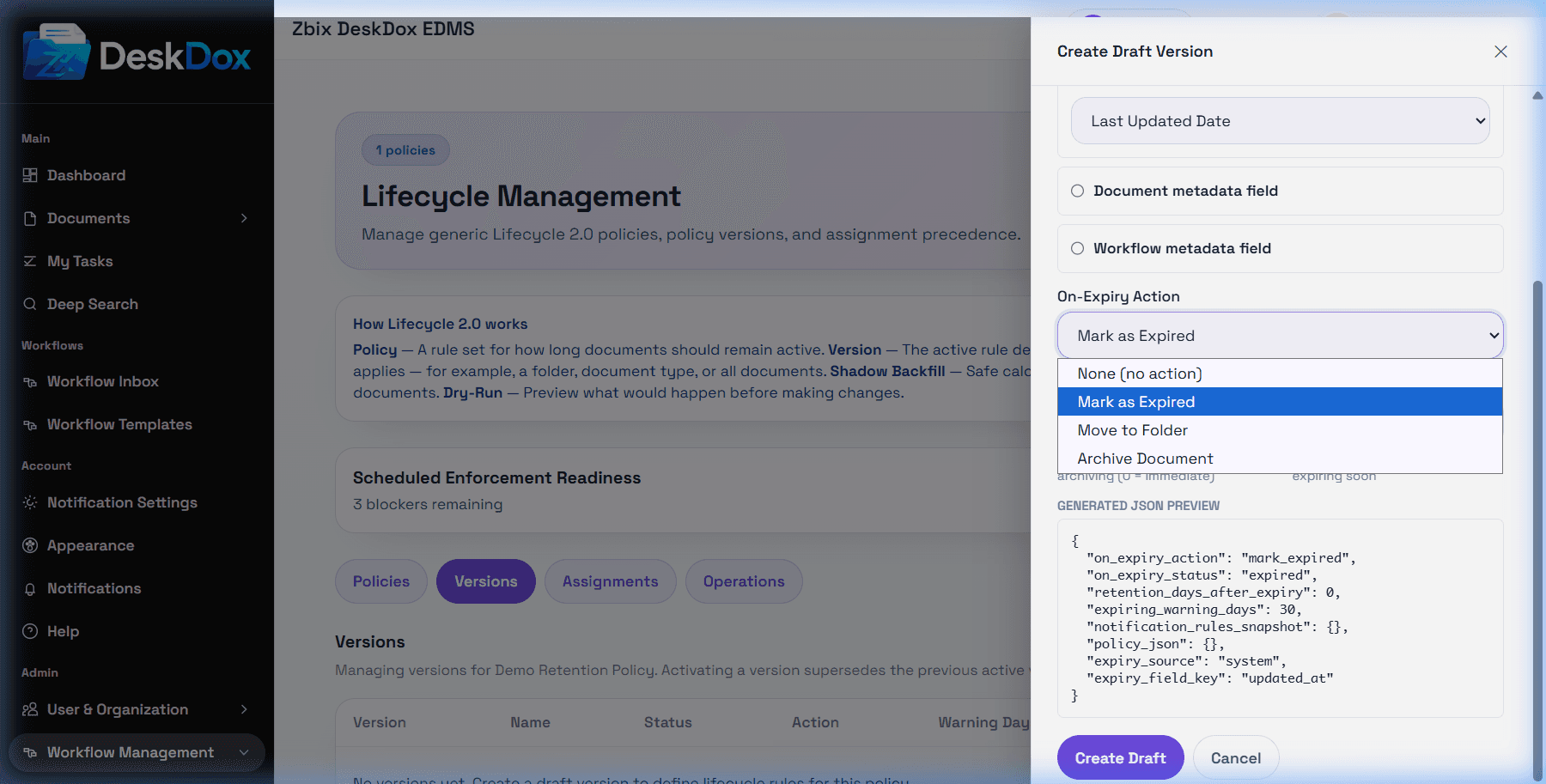
The user list includes On-Expiry Action options including Mark as Expired, Move to Folder, Archive Document, and None/Do Nothing. Supported enforcement actions include leaving the document unchanged, marking it expired, moving it to a folder, or archiving it.
Move to Folder changes the document folder to a configured target folder. When this action is selected, the UI shows a target folder picker when visible. Enforcement fails or skips the action if the target folder is missing or deleted.
Mark as Expired sets the document expired timestamp when enforcement runs. Archive Document sets document status to archived. DeskDox includes archive is status-only today: it does not delete storage and does not change permissions.
Notification behavior should be documented only if notification rules are configured in your deployment. Delete is not a supported Lifecycle 2.0 enforcement action. Lifecycle does not delete documents.