

Lifecycle Date Sources
What this helps you do
Choose the date field lifecycle uses to calculate expiry and understand why missing dates block matching.
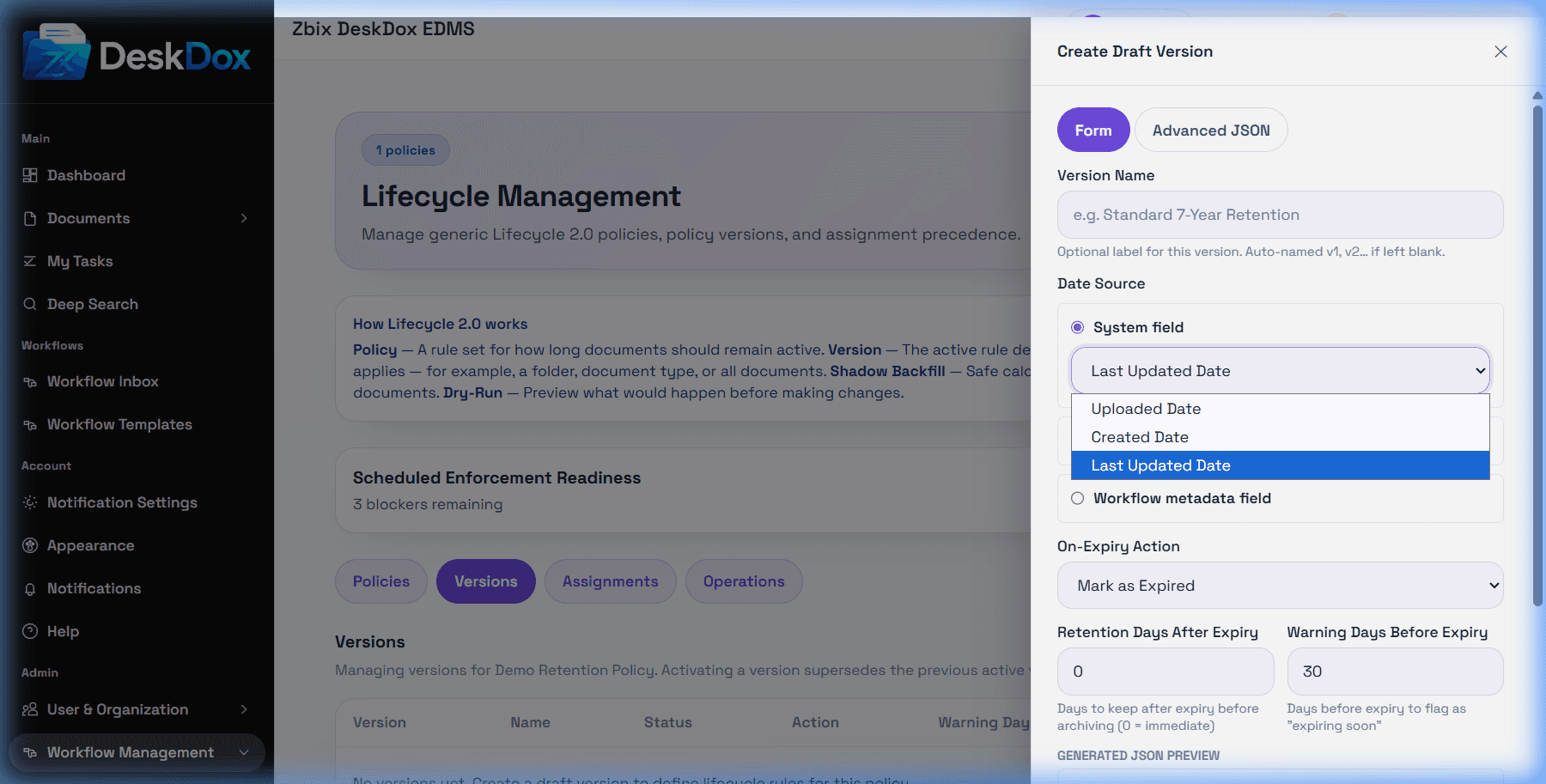
A lifecycle date source tells DeskDox which date to use for expiry calculation. Supported system fields include uploaded_at, created_at, updated_at, and last_modified_at. uploaded_at maps to the document created_at field.
Document metadata date sources read a metadata key on the document. Recognized standard aliases can fall back to document fields, including expiry_date, retention_until, updated_at, created_at, and uploaded_at. Custom metadata wins when a matching metadata row exists.
Workflow metadata date sources require a workflow template and a workflow metadata field. The document must have a workflow instance for that template and a stored metadata value for the field. This is a workflow-related metadata/date source, not a workflow approval-event trigger.
Expiry metadata may be required because lifecycle cannot calculate a due date when the selected date field is blank, invalid, or missing. Date parsing is available as ISO-style date/datetime parsing. Browser timezone handling was not confirmed; treat date boundary interpretation as pending confirmation in your deployment.