

Documents Overview
What this helps you do
The Documents page is the main workspace for finding, opening, uploading, previewing, sharing, and managing documents that your account is allowed to see.
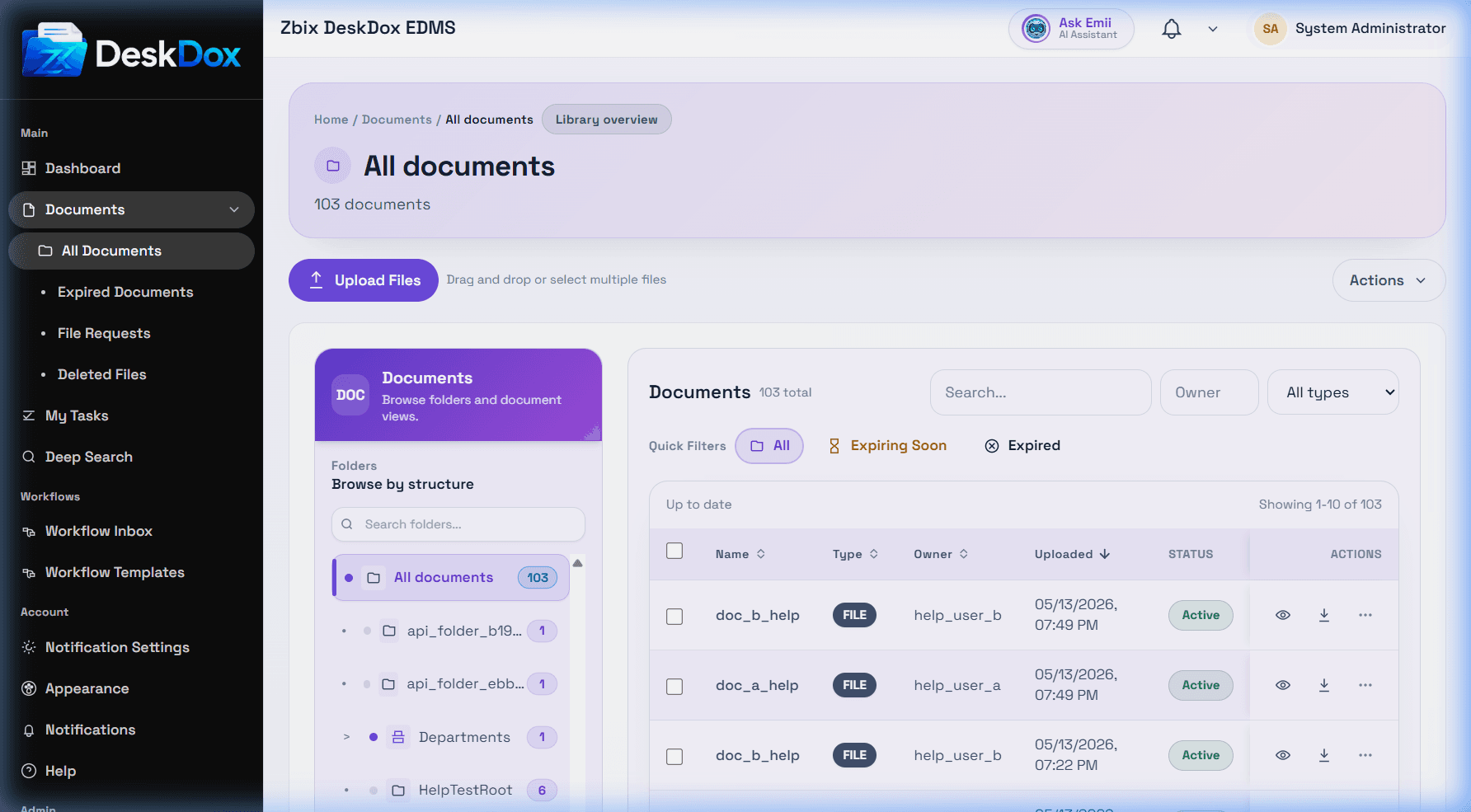
Folder tree and document table
The folder tree shows root folders and subfolders available to you. Selecting a folder filters the document table to that location. The table shows the documents you can access, with columns such as name, type, folder, owner, status, uploaded date, and updated date.
Visible documents are permission-driven
The Documents page does not necessarily show every document in the system. It shows documents visible through folder permission, direct document permission, ownership, sharing, workflow assignment, department membership, or administrator access. Folder permission controls access to a folder and documents inherited from it. Document permission grants access to a specific document even if broader folder access is not available.
Why users see fewer documents
If you cannot find a file, check the selected folder, search filters, status filters, expired/deleted pages, and whether the document belongs to another user or department. A document may be hidden because you do not have folder access, direct document access, workflow involvement, or ownership.