

Lifecycle Rules and Triggers
What this helps you do
Configure lifecycle rule criteria and understand what can trigger lifecycle calculation or enforcement.
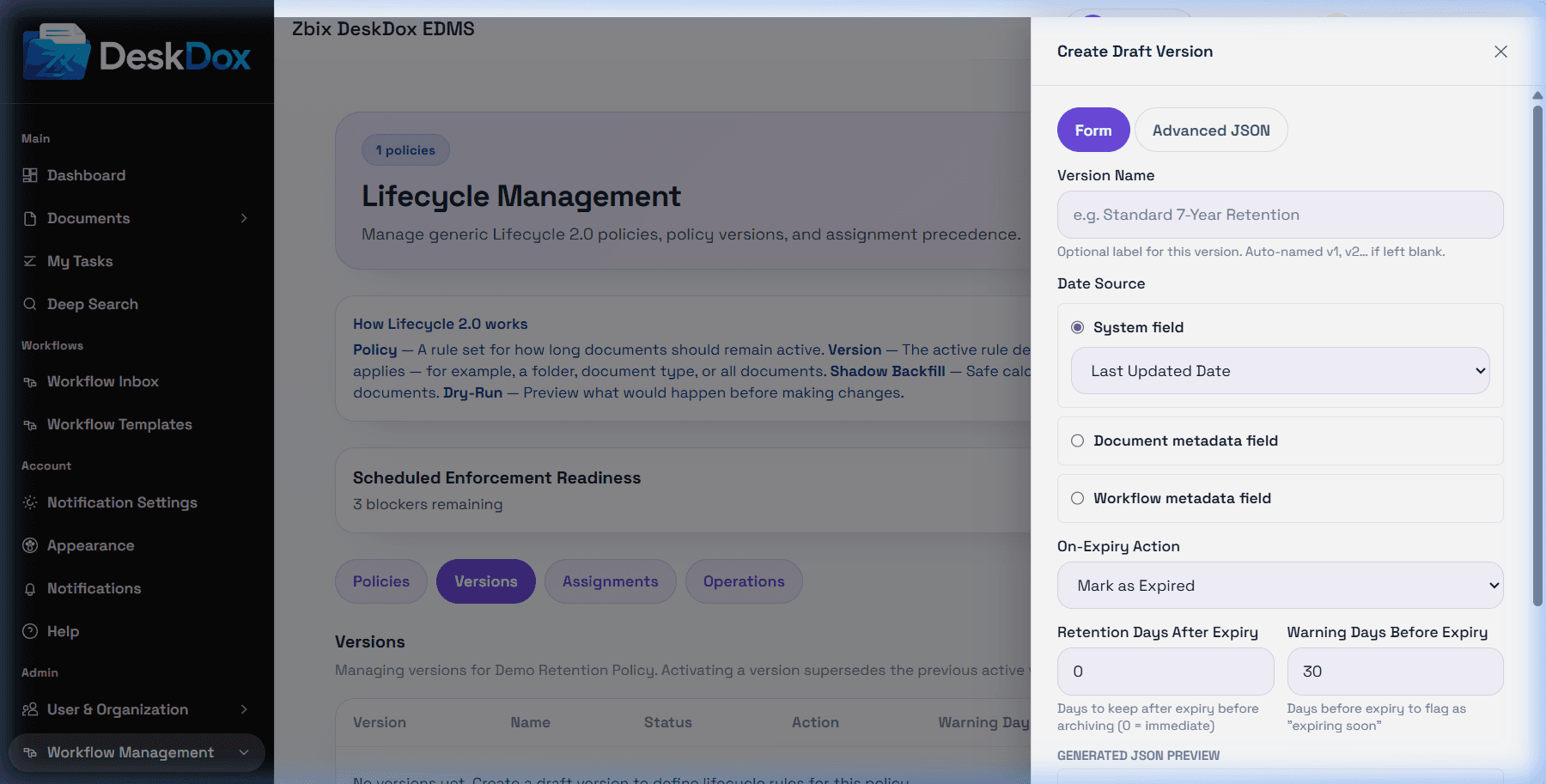
The rule builder configures date-based lifecycle behavior. Supported date source types are system fields, document metadata, legacy metadata aliases, and workflow metadata. The user list includes the rule builder and workflow-related metadata/date field selection.
Lifecycle rules are date-based. A document matches a policy through assignment scope first, then lifecycle calculates using the selected date source. Conditions and match details should be interpreted from the visible rule fields and resolver trace.
Do not describe workflow approval, rejection, or completion as a lifecycle event trigger unless a separate event integration is configured. Lifecycle supports workflow template assignment scope and workflow metadata date resolution, not automatic workflow-event triggers.
A document may not match because there is no active assignment, no active/current version, the assignment is outside its effective dates, the policy is deleted/inactive, the selected date is missing or invalid, or a higher-precedence assignment won. Assignment precedence is document, workflow template, folder, category, document type, then global.