

Workflow Template Default Folder Picker
What this helps you do
Select the default destination folder used by a workflow template when the configured flow supports it.
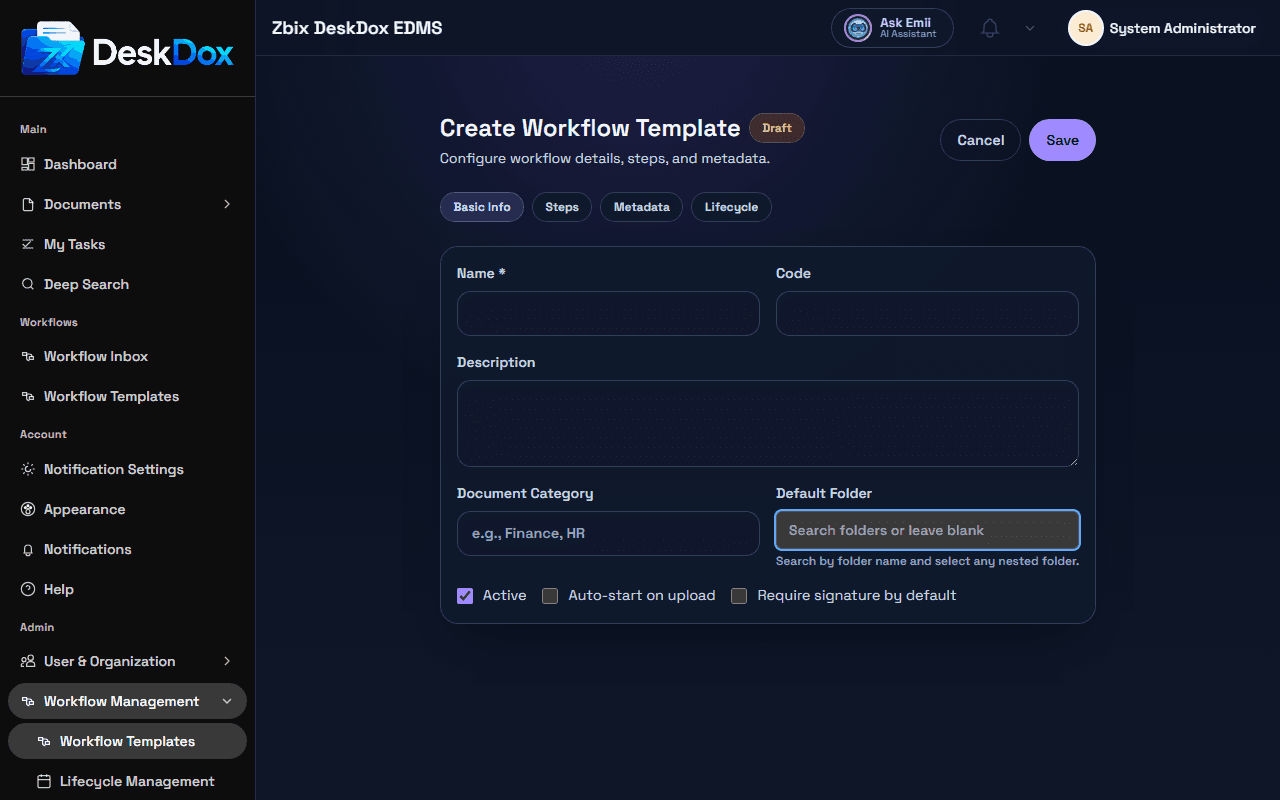
Searchable folder selection
Default Folder uses a searchable folder picker. It displays the full folder path and can be cleared.
Subfolders are searchable by name and can be selected when they are returned by the folder search. Do not assume only root folders are selectable.
Why a folder may not appear
A folder may be missing because the search text does not match it, the folder is outside the search scope, the user lacks permission to see or use it, the folder is inactive, or the folder is unavailable in the current configuration.
If only some folders are visible, compare folder permissions, department scope, and whether the folder is a root folder or subfolder. Ask an administrator to check folder availability if the folder exists and permissions look correct.
Upload relationship
The default folder can influence the destination used when documents start from the template, depending on upload configuration. If uploads still go elsewhere, check the upload folder selection, template active/published status, and whether your tenant uses the template default folder in that upload path.
Related Emii questions
- "Can I select a subfolder as default folder?"
- "Why can't I find a folder in the picker?"
- "How does default folder affect uploads?"