

Workflow Admin Side Overview
What this helps you do
Understand the administrative workflow pages used to configure approval routing, monitor workflow performance, and supervise active or exceptional workflows.
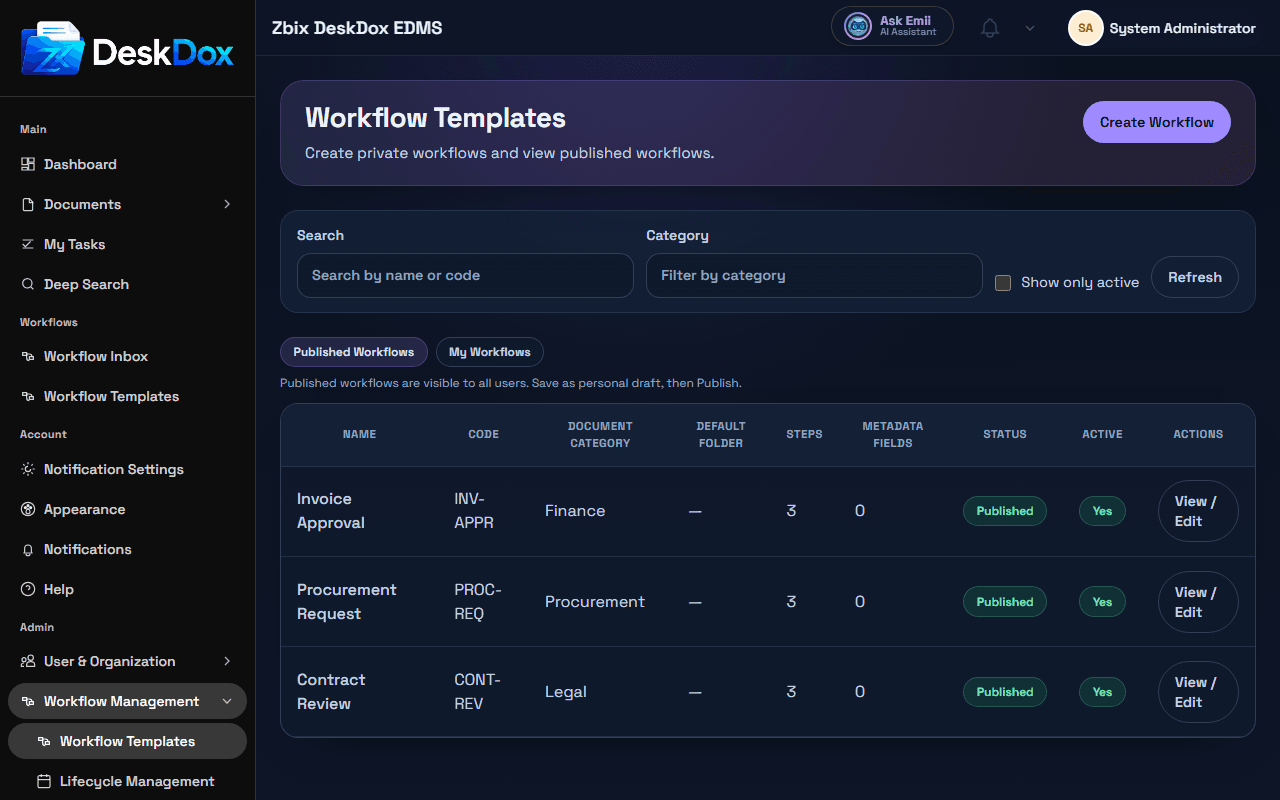
What Workflow Admin is for
Workflow Admin is used to create and maintain workflow templates. A template defines how documents move through approval or review, including basic template information, steps, assignees, required metadata, default folder behavior, active status, and SLA settings when the SLA panel is available.
This is different from user workflow tasks. Admin workflow configuration controls the process. User-side workflow pages show live tasks created from that process, such as approvals, reviews, signatures, or assignments in My Tasks or Workflow Inbox.
Main admin areas
-
Workflow Templateslists published and personal workflow templates. -
Workflow Template Editorcreates or edits template details, steps, metadata, SLA settings, and status. -
Workflow Statsshows workflow totals, per-template performance, charts, and CSV export when the reporting feature is available. -
Workflow Supervisionis an operational console for active tasks, exceptions, overdue items, reassignment, and ad-hoc step actions when permissions allow. -
Department SLAshows department-level workflow load and SLA breach metrics.
Permissions
Workflow Admin visibility depends on role, permissions, and configuration. Admin pages are commonly available to superusers, system admins, EDMS admins, workflow admins, or users with workflow administration capabilities.
Normal users may not see Workflow Admin because they can act on assigned tasks without having permission to create templates, publish templates, manage SLA policy, view admin statistics, or supervise other users' workflows.
How settings affect users
Workflow templates affect which approval templates are available during upload, where documents may be routed by default, who receives approval or review tasks, which metadata is required, and when a workflow is considered overdue. Published, active templates can be available to users; draft or inactive templates may be hidden from upload workflow selection depending on configuration.
Related Emii questions
- "What is Workflow Admin used for?"
- "Why can't I see Workflow Admin?"
- "Which users can configure workflows?"
- "How do workflow templates affect document approvals?"