

Workflow Stats Dashboard
What this helps you do
Use the admin workflow reporting page to review workflow volume and outcomes.
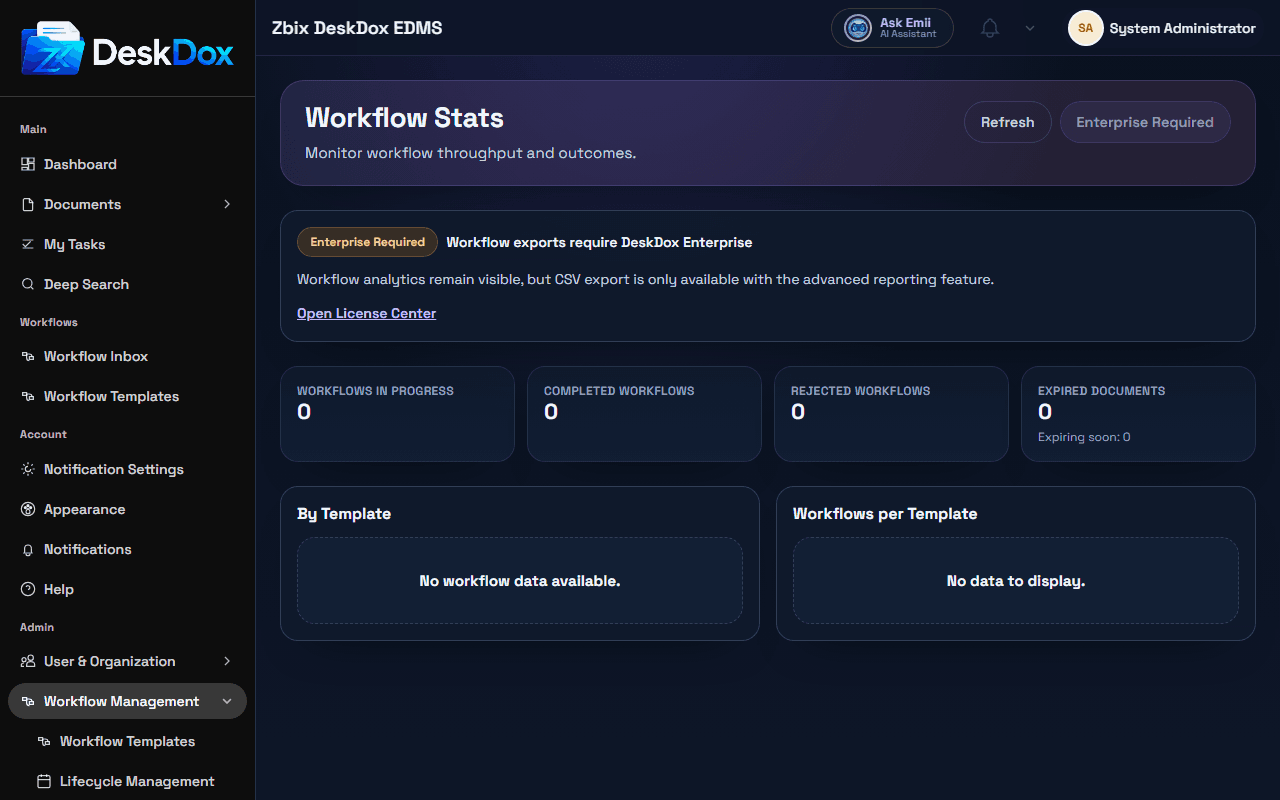
What the page shows
Workflow Stats is an admin-only page. Controls include Refresh and Export Workflows CSV. Export can show Enterprise Required when the advanced_reporting license feature is not available.
The page includes summary cards for Workflows In Progress, Completed Workflows, Rejected Workflows, and Expired Documents, plus a By Template table with Template Name, In Progress, Completed, Rejected, and Avg Completion. It also shows a Workflows per Template bar chart.
Interpreting stats
Workflow Stats are administrative reporting totals. They can differ from My Tasks because My Tasks is user-assignment focused, while stats summarize workflow instances by status, template, and reporting rules.
Use stats to spot throughput, completion rates, rejected work, SLA or overdue indicators when visible, and templates with heavy activity. Use Workflow Supervision for live stuck or overdue tasks.
Export and refresh
Use Refresh to reload data. Use Export Workflows CSV only when available. If the page shows Enterprise Required, the export action depends on the Enterprise reporting license feature.
If stats do not update immediately, refresh and allow reporting jobs or reporting aggregation to complete. Confirm you are comparing the same date window, template scope, workflow status, and permission scope.
Related Emii questions
- "Where can I see workflow statistics?"
- "Why are workflow stats different from My Tasks?"
- "Can I export workflow statistics?"