

Document List Actions
What this helps you do
Use the document table to inspect document status, select rows, run bulk actions, export a list, or open row-level actions.
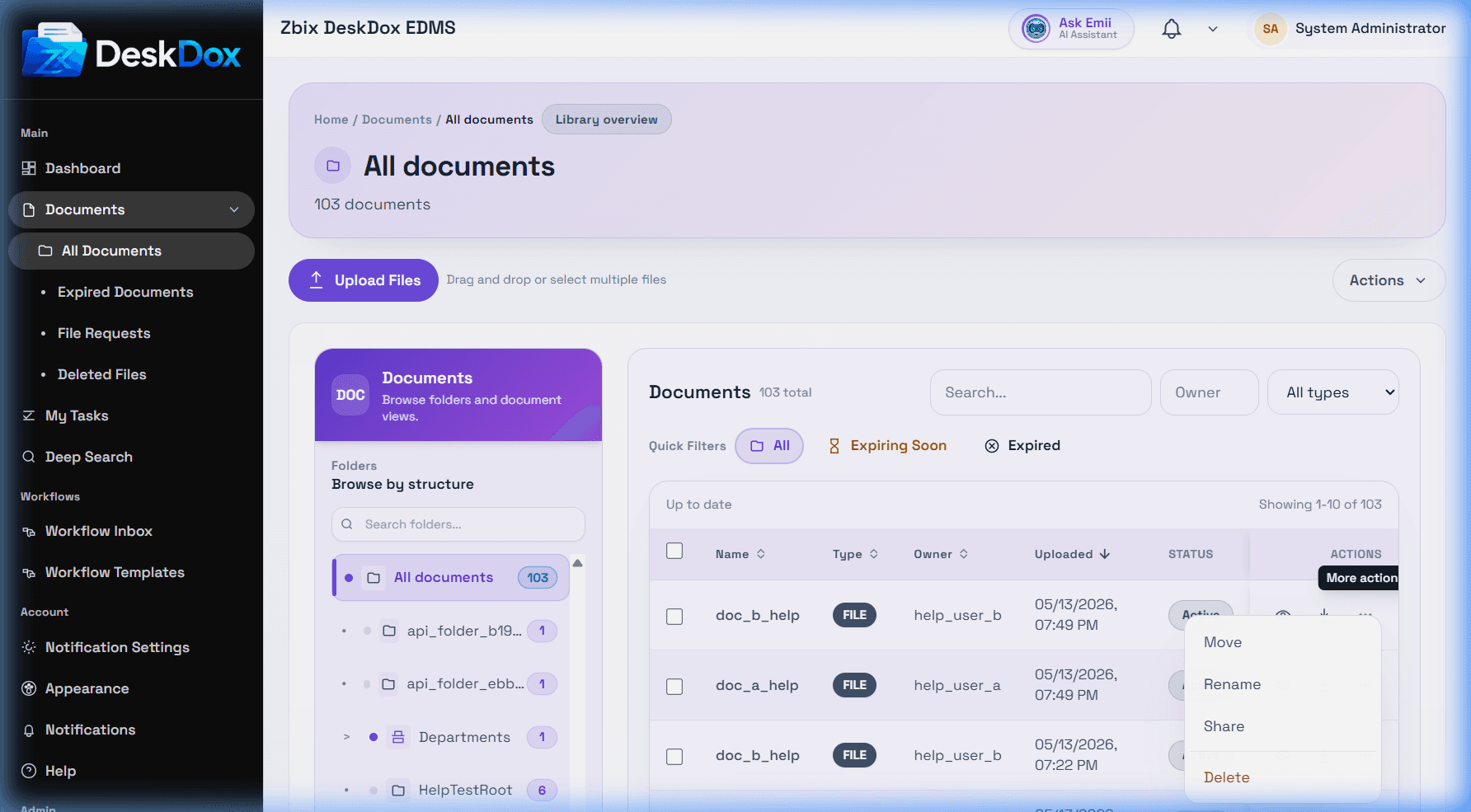
Table columns
The table can show Name, Type, Folder, Owner, Status, Uploaded, and Updated. Click a document name to open details. Use the row checkbox to select one document, or Select all to select visible rows.
Bulk and row actions
When documents are selected, the bulk toolbar can show Apply Workflow, Bulk Delete, Bulk Move, and Clear selection. Use Export CSV to export the visible list when available. The row action menu can include rename, move, delete, preview, share, email, workflow, and metadata actions.
Permission-based actions
Actions are hidden or disabled when your role, folder permission, document permission, ownership, workflow state, lifecycle state, or license does not allow them. If you can view a document but cannot delete it, you likely have view access without delete permission.