

Dashboard Overview
What this helps you do
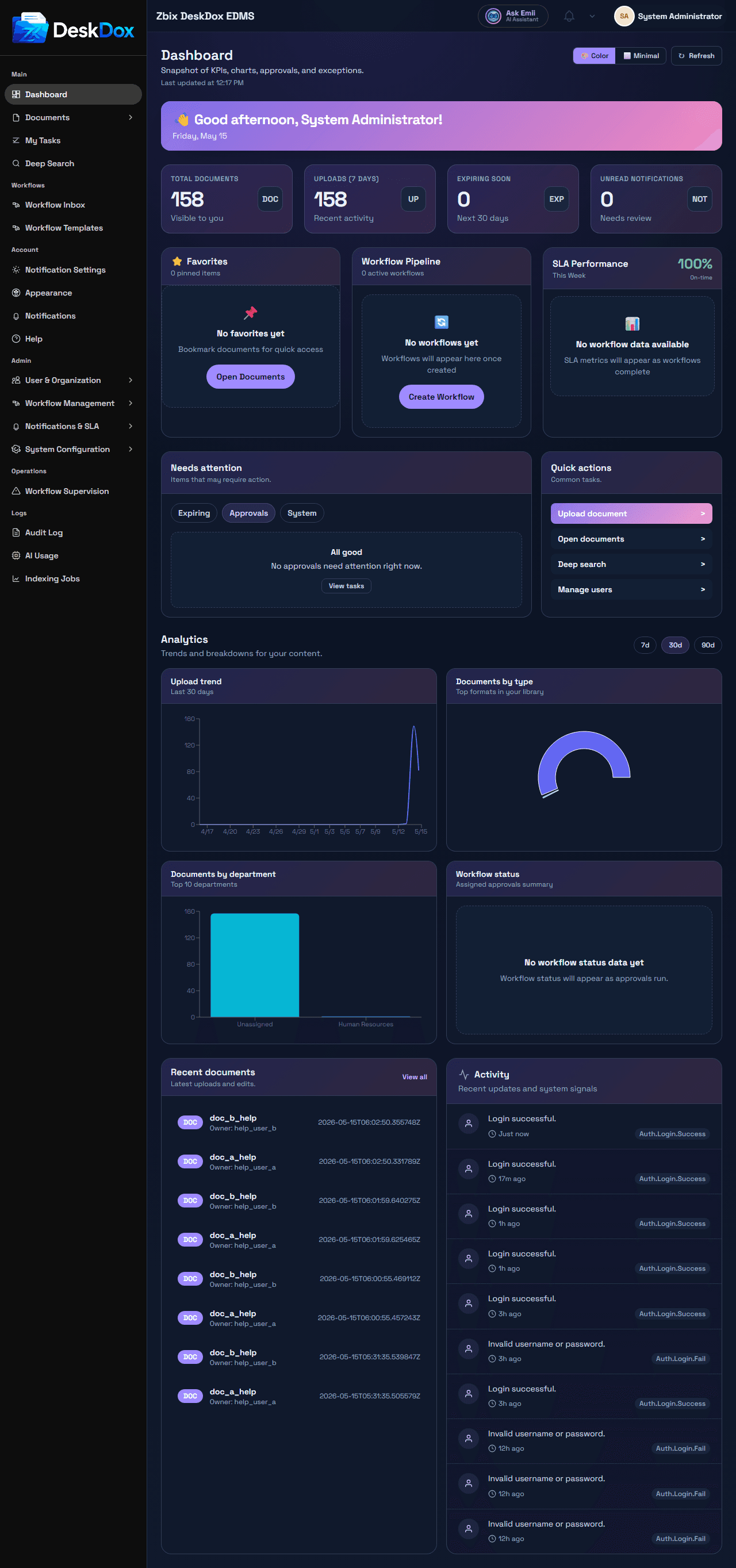
Use the Dashboard as the first summary view after sign-in. It brings together document counts, recent upload activity, expiring documents, unread notifications, favorite documents, workflow status, SLA performance, and attention or quick-action panels when those widgets are available to your account.
KPI cards
The KPI cards are Total documents, Uploads (7 days), Expiring soon, and Unread notifications.
These numbers are user-level summaries. They are filtered by the documents, notifications, and workflow information your account can access. KPI cards can be used as navigation shortcuts when your account has access to the related page. For example, document cards open document views and the unread notification card opens notifications.
Dashboard widgets
Dashboard widgets include Favorites, Workflow Pipeline, and SLA Performance. Favorites lists favorite documents and can provide an Open Documents action. Workflow Pipeline shows active workflow information and can provide a Create Workflow action. SLA Performance shows workflow SLA metrics when available.
Recent activity, needs-attention, and quick-action panels may appear when there is relevant data and your role can see those items.
Why counts differ
Dashboard counts can differ between users because DeskDox filters by role, folder access, direct document permission, ownership, department membership, workflow assignment, notification recipient, and administrator access. An administrator may see broader totals than a standard user.
Empty or stale dashboard
If the Dashboard appears empty, check whether you have document access, favorite documents, active workflows, unread notifications, or tasks assigned to you. If numbers do not update immediately, refresh the page and allow background indexing, workflow, notification, or analytics updates to finish.
License notices are documented separately. License notices may appear only when the license state requires attention.