

Storage Management
Open /app/admin/system/settings/storage to monitor storage capacity, path health, artifact inventory, and safe maintenance actions.
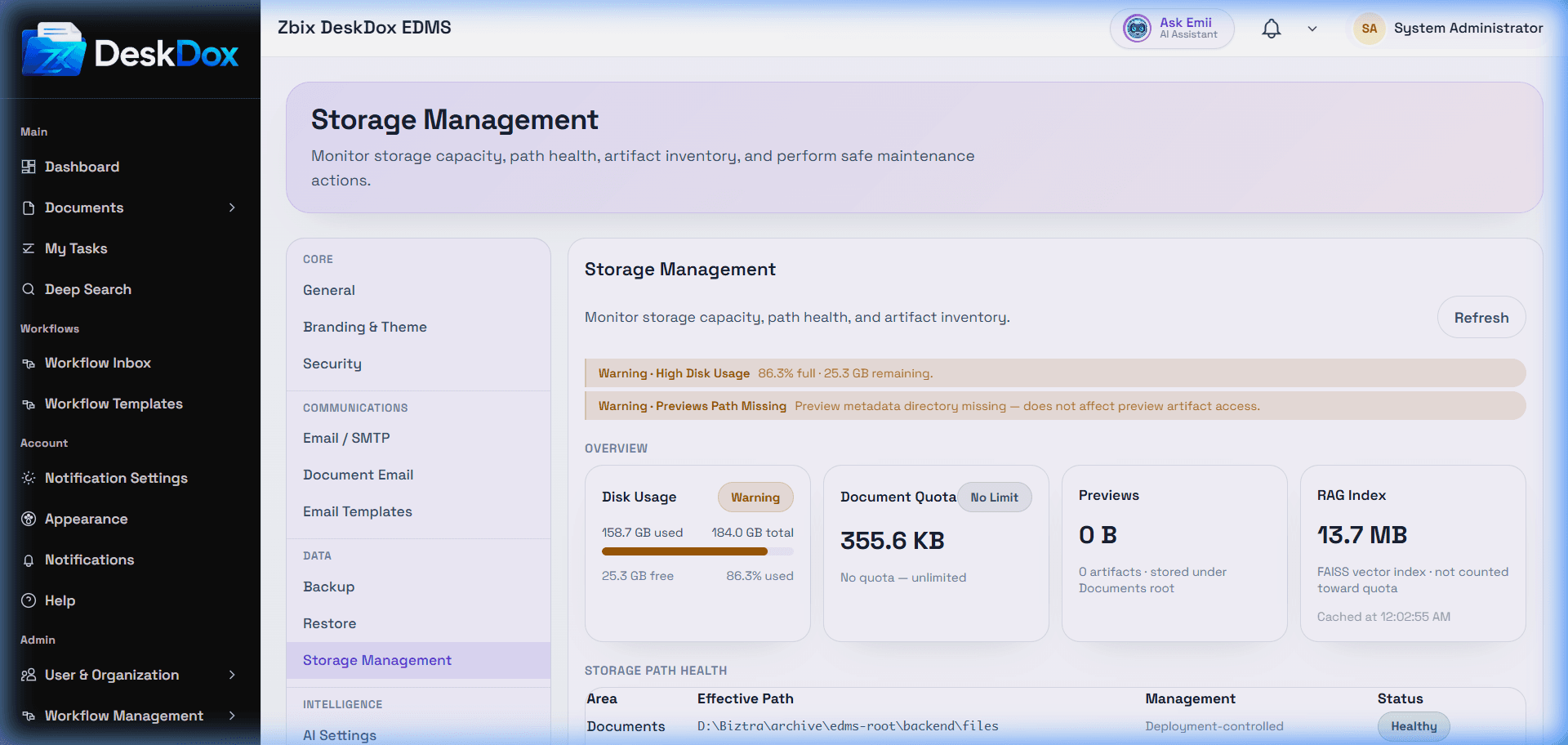
DeskDox includes overview cards for Disk Usage, Document Quota, Previews, and Search Index. It also confirms a Storage Path Health table for areas such as Documents, Previews, Search Index, and Backups, including effective path, management label, and status.
Storage warnings can mean disk usage is high, quota usage is high, a path is missing, a path is unreadable, or a path is not writable. If storage becomes full, uploads, previews, indexing, or backups may fail depending on which path is affected.
The Maintenance section includes Clean Temp Files for backup temporary files. The confirmation dialog uses Delete Temp Files and states that uploaded documents, preview artifacts, RAG/search index data, and completed backup archives are not affected. Only run cleanup when no backup job is in progress.