

Manual Backup and Download
To run a manual backup, open /app/admin/system/settings/backup, confirm the backup subsystem is ready, choose Include Database, Include Files, and/or Include Config Export, optionally enter a Backup Name, then select Create Backup.
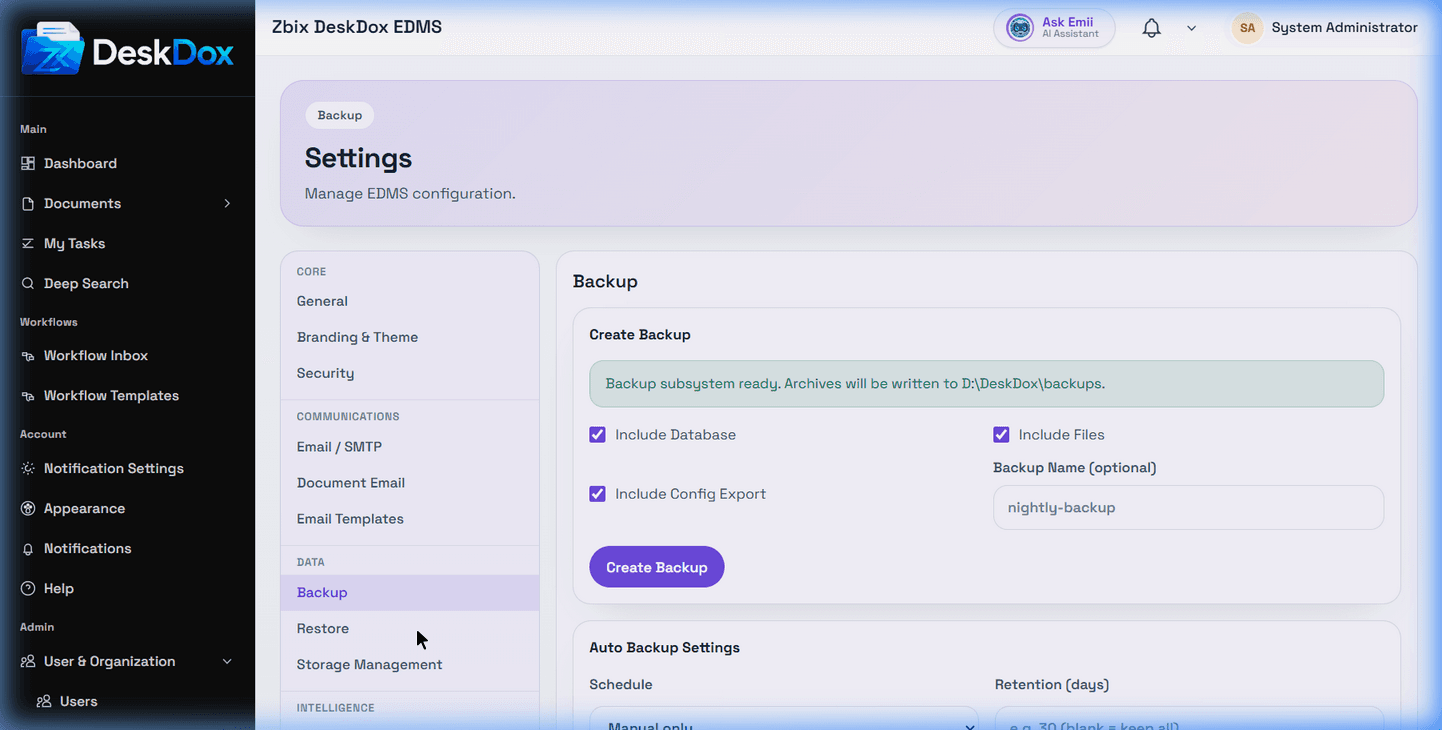
DeskDox includes the backup list has Name, Created, Size, Includes, Status, Created By, and Actions columns. Completed backups can show actions for Download, Verify, View Logs, and Delete. Download and Verify are disabled until a backup status is completed.
If backup history is empty, the UI shows No backups created yet. The browser demo did not contain historical backups, so the screenshot does not prove what a populated production list looks like.
Treat downloaded backups as sensitive data. They may include database content, document files, and configuration export data depending on what was selected.