

Scheduled Backups and Readiness
The Backup page includes Auto Backup Settings. DeskDox includes Schedule options for Manual only, Daily at 2:00 AM, Weekly on Sunday at 2:00 AM, and Monthly on the 1st at 2:00 AM. It also confirms Retention days, Backup storage folder, Browse, Reset, and Save Settings.
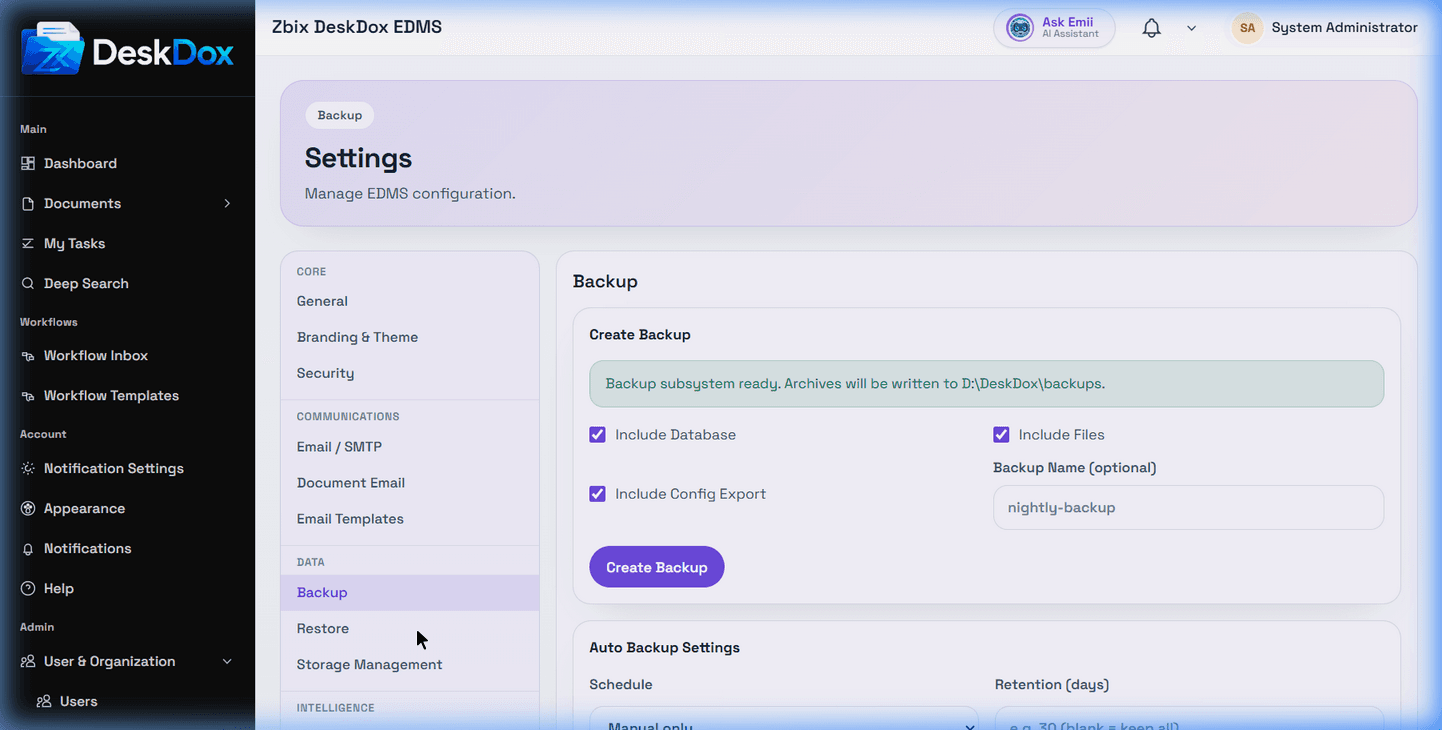
Backup readiness means the system service believes the configured backup subsystem can write archives to the effective backup root. The UI can show a ready message, a readiness error, the effective backup root, last automatic backup, last automatic backup attempt, next scheduled run, scheduler unavailable errors, scheduler inactive warnings, and last automatic backup errors when the system service provides them.
Do not claim scheduled backups are running just because a schedule is selected. Scheduled backups also depend on backup scheduler availability, active scheduler state, reachable storage, write permissions, and successful job execution. If Manual only is selected, automatic backups are not enabled.
Leaving the backup storage folder blank uses the default from the BACKUP_ROOT environment variable. Moving backup storage may require operations work and migration of existing archive files.