

How to Use Emii Effectively
What this helps you do
Ask Emii focused questions, understand when it uses Help Center articles, and verify source-based answers.
Who can use it
Users with Emii enabled in their environment can ask help or document questions. Available modes and scope may vary by deployment and permissions.
Required permissions
- Emii access.
- Document access when asking about uploaded documents.
- Help Center access when asking product how-to questions.
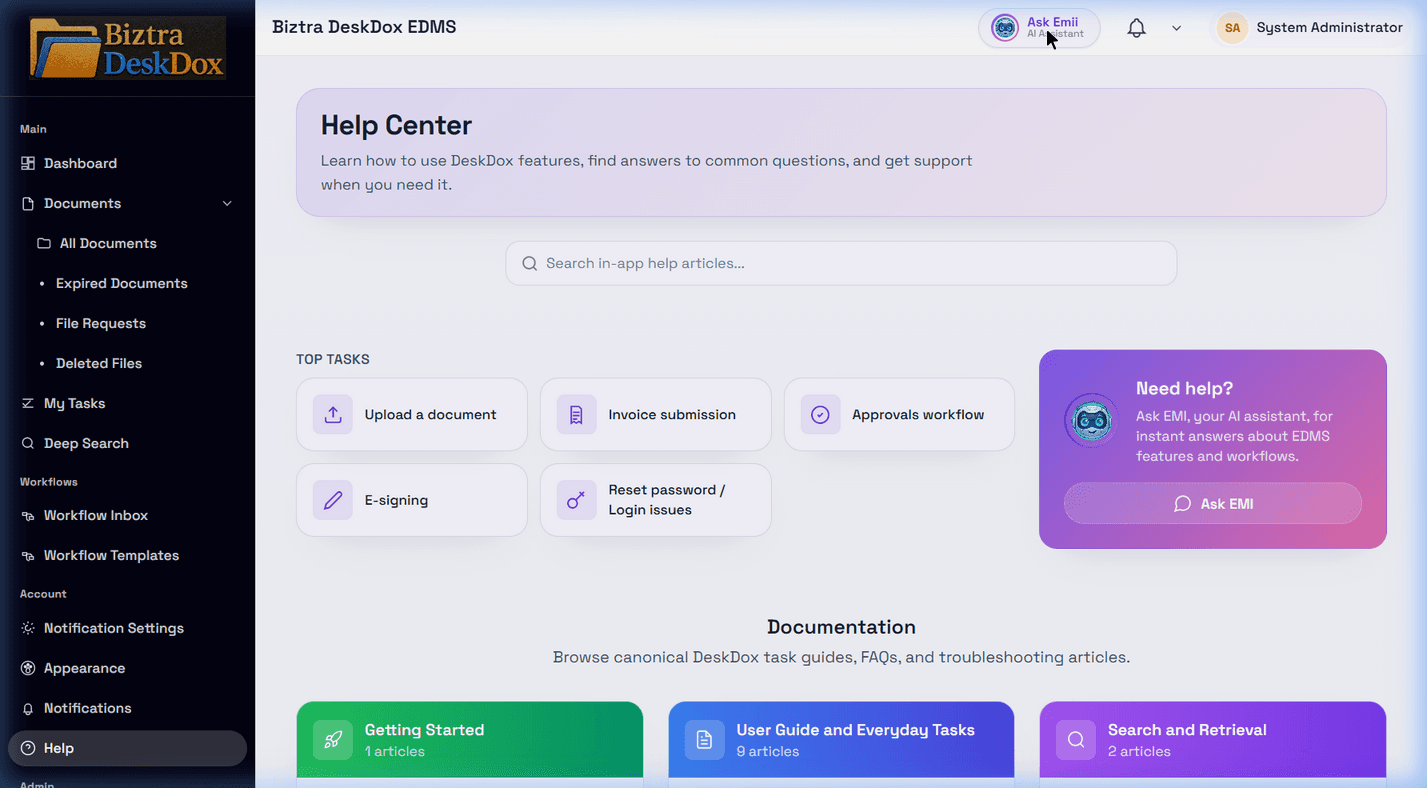
Where to open Emii
- Header
Ask Emiibutton (if enabled) - Help Center
Ask EMIcard - Task-review Emii surfaces in workflow context
Ask Emii about DeskDox features
For product or how-to questions, ask about the DeskDox feature directly. Emii should search Help Center articles first for questions about uploading, sharing, workflow, lifecycle, users, departments, audit trail, Help Center, and permissions.
Best prompt pattern
Include:
- What you need ("summarize", "compare", "next action")
- Relevant context (document name/ID, workflow step)
- Scope request (single document vs broader help)
Good examples
- "Summarize the key obligations in this document."
- "What should I verify before approving this task?"
- "Why might my search return no results?"
- "How do I create a user and assign a department?"
- "Why did lifecycle not move documents?"
Safe use guidelines
- Verify citations or linked source context before making decisions.
- Use Emii as guidance, not policy override.
- Escalate uncertain or high-impact conclusions to a human approver/admin.
Understand source-based answers
When Emii answers a Help Center question, it should refer to the source article or section it used. If the Help Center has no matching article, Emii should say that clearly and avoid inventing DeskDox-specific steps.
Common mistakes
- Asking a document-content question when you meant to ask product help, or the reverse.
- Asking without enough feature context.
- Treating Emii guidance as approval authority.
- Ignoring citations or source article names.
Troubleshooting
If Emii cannot answer, rephrase with the module name and task. If it cites the wrong topic, open the Help Center article directly or try a more specific question. If Emii is not visible, ask an administrator whether it is enabled for your environment.